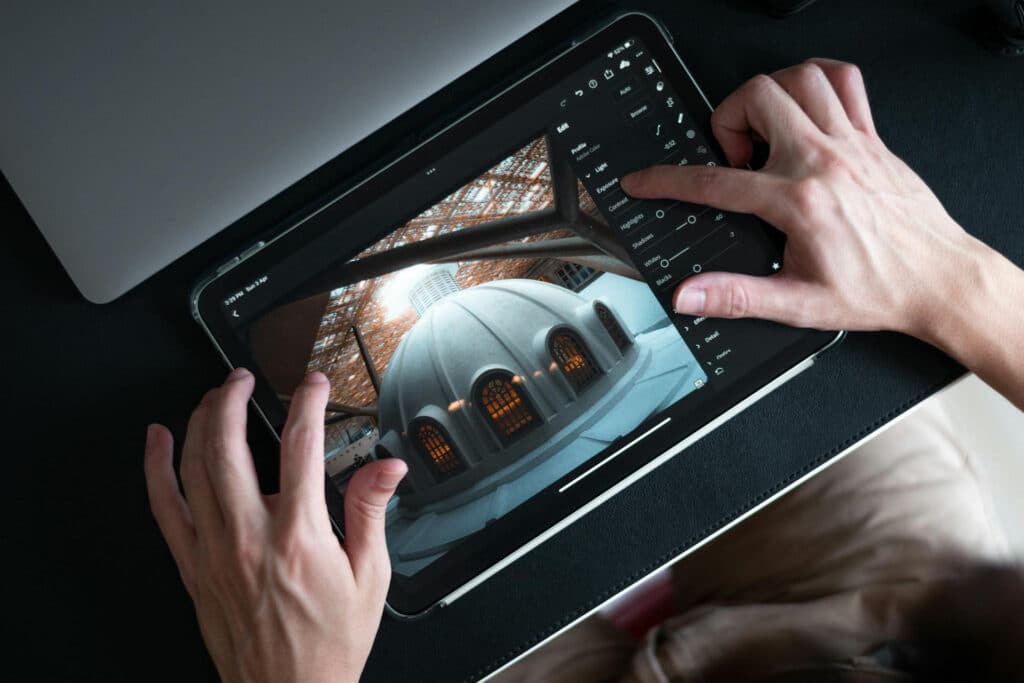
In the age of social media and digital storytelling, having the right photo editing app can take your content to the next level. Whether you’re an Instagram influencer, a budding photographer, or just someone who loves to enhance their snapshots, a great mobile editor can help you create stunning images on the go. Here’s a look at the best photo editing apps that mobile creators should have in their toolkit.
1. Adobe Lightroom Mobile
Best for: Professional-level color grading and presets
Download: Adobe Lightroom (Android) | Adobe Lightroom (iOS)
✔ RAW editing support for high-quality images
✔ Advanced color correction tools
✔ Syncs with desktop Lightroom for seamless workflow
✔ Custom presets for quick edits
Lightroom Mobile is the go-to app for serious photographers who want powerful editing tools without the need for a computer.
2. Snapseed
Best for: Free, high-quality photo editing
Download: Snapseed (Android) | Snapseed (iOS)
✔ Completely free with pro-level tools
✔ Selective editing for precise enhancements
✔ Healing tool to remove unwanted objects
✔ Easy-to-use interface
Developed by Google, Snapseed is one of the best free photo editing apps, offering powerful tools that rival premium apps.
3. VSCO
Best for: Aesthetic filters and film-style edits
Download: VSCO (Android) | VSCO (iOS)
✔ Iconic film-like presets
✔ Simple, minimalistic interface
✔ Built-in camera app for live filters
✔ VSCO community for sharing edits
VSCO is a favorite among social media creators looking for stylized, natural-looking filters with subtle enhancements.
4. PicsArt
Best for: Creative photo manipulation and collages
Download: PicsArt (Android) | PicsArt (iOS)
✔ Hundreds of artistic filters and effects
✔ AI-powered background removal
✔ Collage maker and stickers
✔ User-friendly tools for beginners
PicsArt is perfect for fun, creative edits, whether you want to add stickers, make collages, or apply cool effects.
5. Afterlight
Best for: Advanced texture and overlay effects
Download: Afterlight (Android) | Afterlight (iOS)
✔ Unique film textures and light leaks
✔ Double exposure blending
✔ Advanced editing tools with curves and gradients
✔ Easy-to-use with beautiful effects
Afterlight is great for adding retro film aesthetics and creative overlays to your photos.
6. TouchRetouch
Best for: Removing unwanted objects
Download: TouchRetouch (Android) | ToughRetough (iOS)
✔ AI-powered object removal
✔ Erase blemishes and distractions
✔ Simple, intuitive interface
✔ Perfect for social media touch-ups
If you need to quickly remove photobombers, wires, or unwanted distractions, TouchRetouch is a must-have app.
7. Canva
Best for: Social media graphics and templates
Download: Canva (Android) | Canva (iOS)
✔ Pre-made templates for social media
✔ Easy text overlays and design elements
✔ Collaboration tools for teams
✔ Great for beginners
Canva isn’t just for photos—it’s an all-in-one design app perfect for making social media posts, banners, and promotional content.
8. Polarr
Best for: AI-powered editing and deep customization
Download: Polarr (Android) | Polarr (iOS)
✔ AI-enhanced color grading
✔ Layer-based editing
✔ Batch processing for bulk edits
✔ Custom LUTs for a unique look
Polarr is a great choice for creators who want advanced control over their edits while leveraging AI tools for efficiency.
9. Facetune
Best for: Portrait retouching and selfies
Download: Facetune (Android) | Facetune (iOS)
✔ AI-powered face enhancements
✔ Teeth whitening, skin smoothing, and reshaping tools
✔ Quick edits for flawless selfies
✔ Great for social media influencers
If you love taking selfies, Facetune helps you enhance your portraits effortlessly while keeping them natural-looking.
10. Prequel
Best for: Cinematic and trendy effects
Download: Prequel (Android) | Prequel (iOS)
✔ Trendy filters and cinematic effects
✔ AI-powered video and photo editing
✔ Aesthetic filters for TikTok & Instagram
✔ Easy-to-use, beginner-friendly
Prequel is perfect for trendy, high-impact visuals, especially if you love creating aesthetic social media content.
Final Thoughts: Which App Should You Choose?
With so many powerful photo editing apps, choosing the right one depends on what kind of edits you need:
- For pro-level editing: Try Lightroom or Snapseed.
- For quick and creative edits: VSCO, Afterlight, or PicsArt are great choices.
- For social media graphics: Canva is a must-have.
- For portrait retouching: Facetune or TouchRetouch work wonders.
No matter your editing style, these apps can help you turn your mobile photos into masterpieces. Which one is your go-to? Let us know in the comments!